Healthy Benefits+ (Classic)
- 3.6
- Rating
- 1.00M
- Installs
- Free
- Price

 Analysis by App-foxy
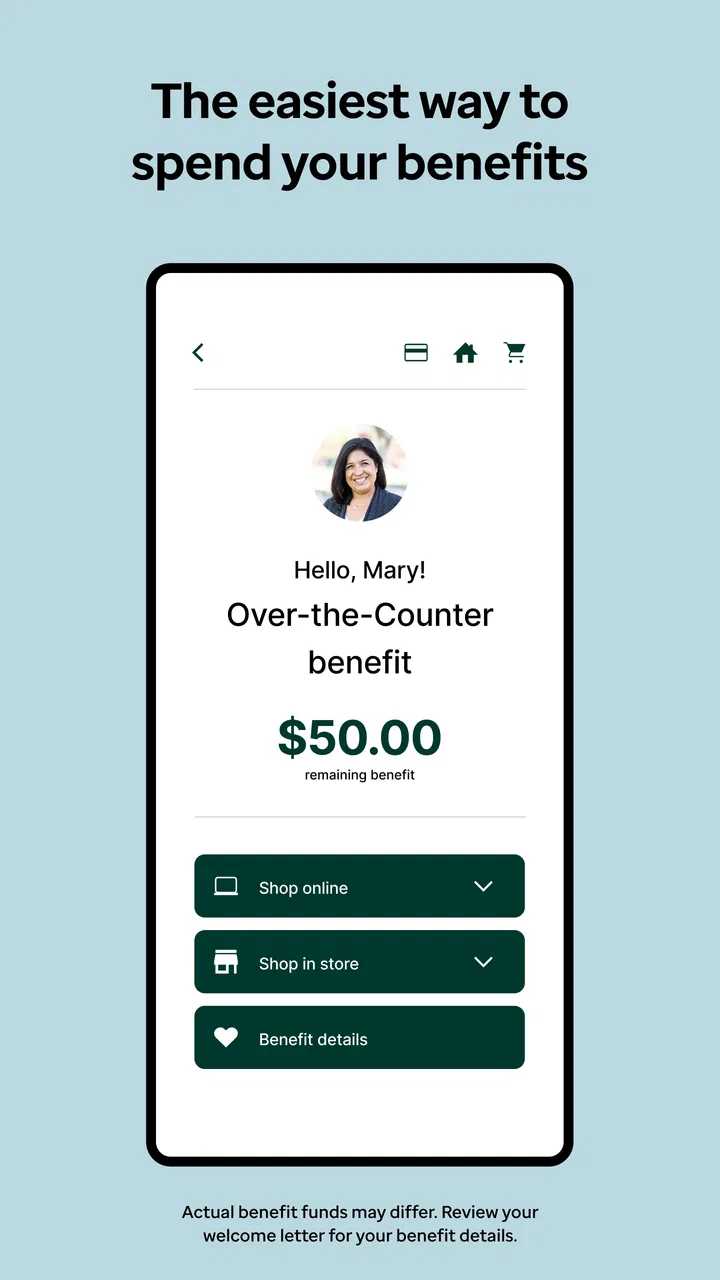
Healthy Benefits+ is the kind of medical app I would judge less by flashy design and more by whether it helps me use my benefits when I am standing in a shop, checking an order, or trying to understand what is available to me. Developed by Solutran, Inc., it focuses on access to benefits and rewards rather than acting like a general health tracker or a replacement for professional medical advice. That narrow purpose is also its main strength: when the service connected to my account is supported, the app can put useful benefit information in one place.
I found the experience most relevant for people who receive eligible health-related benefits and want to manage them from a phone. It is free, rated for Everyone, and available for devices running Android 8.0 or later. The app has been available since December 21, 2018, and its current version is 4.2.0. Those details matter because this is not an app I would install simply to browse wellness content; its value depends on whether my particular benefit program works with it.
How Healthy Benefits+ feels when the connection matters
The first thing I would tell a friend is that connectivity is central to the experience. Healthy Benefits+ is most useful when I can reach the account and benefit information I need at that moment. A strong mobile connection makes checking available benefits, reviewing rewards, or handling a shopping-related task feel straightforward. A weak connection changes the mood quickly, because the app’s usefulness depends on getting current information rather than merely opening a static reference page.
You May Also Like

 Blood Strike: 2.5 Anniversary
Blood Strike’s Loadouts Turn Every Drop Into a Tactical Gamble
A close look at Blood Strike’s custom loadouts: how fast access to signature weapons reshapes its battle royale rhythm, rewards preparation, and narrows the gap between fights.

 Pandora - Music & Podcasts
Pandora’s Music Is Easy to Start, but Harder to Recover
Pandora’s strength is its low-effort path from a seed to a station. Its weak spot is how much confidence it asks you to place in connection, setup, and quiet recovery.

 8 Ball Pool
 Is Built on Rivalries, Rematches, and Routine
A close look at the rivalries, rematches, shared routines, and unanswered safety questions that turn a quick pool match into a persistent mobile community.

 Samsung Music
’s Quiet Strength Is Playing What You Already Own
Its reach comes less from spectacle than from dependable access to a personal library. That simplicity is both the app’s strongest retention engine and its ceiling.

 AccuWeather: Weather Radar
AccuWeather Review: A Quick, Clear Forecast for Everyday Decisions
For everyday plans, the best forecast is the one you can understand quickly. AccuWeather makes rain timing, radar, and local conditions easy to act on, with a few trade-offs.

 Hill Climb Racing
Why Hill Climb Racing Still Turns Crashes Into One More Run
A tiny car, a bumpy hill and one more upgrade: Hill Climb Racing keeps resurfacing because its simple chaos makes every near-miss feel personal.
More From Our News Desk



That distinction is easy to overlook. Many health apps remain useful when a phone is offline because they store exercise logs, articles, or previously downloaded content. Healthy Benefits+ is different in practical terms: I would treat it as a connected access point for my benefits, not as an offline wallet or a permanent copy of every account detail. I would open it before leaving home if I already knew I would need something important, especially when traveling through areas with unreliable reception.
A realistic example is a grocery trip after work. I might remember that I have a benefit available, but not remember the exact balance, eligible category, or reward detail. In that situation, checking the app in the parking lot or before reaching the checkout can prevent an awkward pause at the register. The useful habit is to check while I still have time to read the screen and solve a problem, rather than waiting until the final step of a purchase.
Connectivity also affects patience. If the app takes longer to load while I am moving between stores, I would avoid repeatedly tapping buttons, closing the app, and reopening it. That can create duplicate actions or simply make it harder to tell whether the first request is still processing. I prefer to pause, confirm that the phone has a stable signal, and then try again once. This is a small workflow change, but it matters when I am dealing with benefits rather than casually browsing.
What the app is useful for on the move
The mobile format makes sense for the moments when benefits become relevant away from a desk. I can imagine using it while planning a shopping trip, checking information before paying, or reviewing rewards after an eligible activity. The phone is already with me, so I do not have to remember a separate card, paper notice, or a desktop login as my only reference point.
That convenience does not mean every situation is equally comfortable on a small screen. If I need to compare several details or carefully read account information, I would rather take a few minutes somewhere quiet than do it while walking through a busy store. The app is better as a quick access tool than as something I would explore hurriedly in a crowded aisle.
For older users or anyone who is not comfortable with mobile account management, the experience may require a little preparation. I would recommend installing it at home, signing in calmly, and learning where the important information appears before relying on it during a purchase. A family member can help with the first setup, but I would still make sure the account holder understands the basic flow instead of treating the phone as a black box.
One practical trade-off is that the app keeps benefit access close at hand, but it also moves responsibility onto the user’s phone. A low battery, poor reception, or an unexpected sign-in problem can become relevant at exactly the wrong time. I would not make it my only plan for an important transaction. Keeping the benefit card or other official account information available, when applicable, is a sensible backup rather than a criticism of the app.
Recovering when a request fails
Network problems are not always obvious. Sometimes a page appears to load but does not finish, while other times the phone shows a connection and the app still cannot retrieve current account information. My approach would be to identify whether the issue is local to the phone or related to the service: first check the signal, then move to a more reliable connection, and only after that restart the app.
I would also avoid making a purchase decision based on an old screen that I had left open. Benefit balances and availability are the kind of information I want to refresh before relying on them. If a screen looks incomplete or a request appears stuck, I would treat it as unconfirmed rather than assuming the previous display is still current. That cautious habit is one of the most important differences between using this app and reading ordinary health content.
When the app does not cooperate, the best recovery plan is simple: stop repeating the same action, preserve any useful account details already visible, and try again later from a better connection. If the problem continues, I would use the support route associated with my benefit program or another official channel. Healthy Benefits+ can organize access, but it cannot remove every issue caused by account eligibility, service availability, or a provider’s system.
I would be especially careful with login recovery. A user who changes phones, forgets credentials, or receives a security prompt while away from home should expect the process to take longer than a normal app opening. My advice is to resolve those issues before an urgent shopping trip. The app is much less stressful when I have already confirmed that I can reach my account.
Using it without wasting mobile data
Because the app is designed for connected access, data-conscious use is worth considering. I would use Wi-Fi for initial setup, updates, and any longer account review, then rely on mobile data for quick checks when necessary. This is not about assuming the app consumes a particular amount of data; it is simply a sensible way to avoid spending mobile data on tasks that could have been done at home.
I would also avoid repeatedly refreshing a page while standing in a weak-signal area. Repeated attempts are frustrating and may use more data without producing a better result. One deliberate check from a stable connection is usually a better workflow than several hurried taps. If I know I will be shopping somewhere with poor reception, I would review the relevant information beforehand and keep the phone charged.
Privacy is another reason to be deliberate. This is a medical-category app connected to benefits, so I would avoid signing in on a public device or leaving account screens visible while handing my phone to someone else. I would use the phone’s normal screen lock and keep the app updated through the official app store. Those are ordinary precautions, but they feel particularly important when an app combines personal account access with health-related benefits.
I would not confuse a saved screenshot with a guaranteed current balance or eligibility result. A screenshot can be a useful personal reminder, but it may become outdated after a purchase or account change. For anything that affects what I can use at checkout, I would prefer a current connected view. That is one of the clearest connectivity trade-offs in Healthy Benefits+: convenience comes from access to current information, while dependence on access can make preparation important.
Who gets the most value from it
Healthy Benefits+ is a good fit for someone whose benefits are supported and who regularly wants to check or use them from a phone. It is particularly practical for people who dislike carrying paperwork, tend to forget benefit details, or make shopping decisions away from a computer. The app’s free price also lowers the barrier to trying it, provided the user’s program is compatible.
Its broad audience is reflected in its Everyone age rating, but that should not be read as a promise that every person will find it equally easy. A user who rarely uses mobile apps may need a short learning period. Someone who has no eligible benefit connection will have little reason to keep it installed. I would also hesitate to recommend relying on it alone to a person who has limited data, an older phone with Android below 8.0, or frequent difficulty accessing account credentials.
The app is not the right alternative to a doctor, pharmacist, insurer representative, or benefits administrator when the question is medical advice or a complicated eligibility dispute. Its role is access and management, not diagnosis. If I needed to understand a treatment, interpret symptoms, or resolve a serious coverage question, I would go directly to the appropriate professional or official support channel.
How it compares with paper, websites, and general health apps
Compared with paper benefit information, Healthy Benefits+ is more convenient for checking current details from a phone, but paper can be more dependable as a backup when reception or battery power fails. Compared with a website, the app is better suited to quick mobile moments, while a larger screen may be more comfortable for careful reading and account review. I would choose the app for access while out and a browser or official support channel when I need a broader explanation.
It also differs from general health apps. A fitness tracker may record steps, sleep, or workouts; a symptom app may help organize observations; a medical reference app may provide educational reading. Healthy Benefits+ is more transactional and account-focused. Its value comes from connecting me with eligible benefits and rewards, not from building a complete personal health record.
That focus makes the app easier to understand, but it also limits what I expect from it. I would not install it hoping for coaching, workout plans, medication reminders, or a community feed. If those are my priorities, another category of app would be more appropriate. If my priority is practical benefit access, staying within its narrower purpose is an advantage.
What the adoption numbers suggest, and what they do not
The app has passed one million installs, with an average rating of 3.6 from around one hundred thirty-three thousand ratings and roughly twenty-one thousand written reviews. To me, that indicates a substantial audience and a mixed experience rather than universal satisfaction. A benefit app can work very well for one program and feel limited for another, so I would pay more attention to how it fits my own benefit arrangement than to the rating alone.
The developer, Solutran, Inc., has kept the app active through version 4.2.0, which is useful context for anyone deciding whether it is worth trying. Still, an updated app does not guarantee a smooth experience in every network or account situation. I would judge it by whether I can reliably reach the information I need, not simply by the presence of a recent version number.
My overall impression is positive but practical. Healthy Benefits+ earns its place on my phone when I have eligible benefits to manage and want mobile access during everyday errands. Its biggest weakness is also clear: when connectivity, account access, or phone readiness breaks down, the convenience can disappear quickly. I would prepare once at home, keep a backup option for important purchases, and use the app as a connected tool rather than assuming it replaces every other form of benefit information.
My connectivity verdict: Healthy Benefits+ is worth trying for eligible users who want benefit and reward access in their pocket, especially if they are comfortable checking information before a purchase. I would recommend it to a friend with that qualification, not as a universal health app but as a focused companion for supported benefits. Used with a stable connection and a little preparation, Healthy Benefits+ can make benefit management less inconvenient; used as the only source of information in a weak-signal moment, it may leave too much room for frustration.
FAQs for Healthy Benefits+ (Classic)
01What is Healthy Benefits+ and how does it work?
Healthy Benefits+ is a user-friendly mobile app designed to help users manage their health benefits more efficiently. By offering access to a variety of health programs, discounts, and benefit details, users can easily track and utilize their health benefits. The app simplifies the process by organizing all relevant information in one accessible place.
02Is Healthy Benefits+ available for both Android and iOS devices?
Yes, Healthy Benefits+ is available for both Android and iOS platforms. Users can download it from the Google Play Store or the Apple App Store. The app is designed to be compatible with most smartphones, ensuring a wide range of users can take advantage of its features without compatibility issues.
03What features does Healthy Benefits+ offer to enhance user experience?
Healthy Benefits+ provides a variety of features, including personalized benefit details, access to exclusive discounts on health-related products and services, and the ability to track spending and benefits usage. Additionally, it offers a user-friendly interface with clear navigation, making it easy for users to find the information they need.
04Are there any costs associated with using Healthy Benefits+?
The Healthy Benefits+ app itself is free to download and use. However, the availability of discounts and specific benefits may depend on the user's individual health plan or provider. Users should check with their provider to understand any potential costs or limitations associated with their specific benefits.
05How secure is the personal information stored in Healthy Benefits+?
Healthy Benefits+ prioritizes user privacy and data security. The app employs robust security measures, including encryption and secure authentication protocols, to protect personal and health-related information. Users can rest assured that their data is handled with the utmost care and confidentiality.
Pros
- User-friendly interface makes navigation easy.
- Wide range of discounts and offers available.
- Seamless integration with health plans.
- Real-time updates on available benefits.
- Secure and private data handling.
Cons
- Limited availability based on location.
- Requires stable internet connection.
- Some features locked behind premium.
- Occasional app crashes reported.
- Not all health plans are supported.

Healthy Benefits+ (Classic)
Gallery